

It’s the season of enablement. Everywhere I look, colleagues who are mastering different AI concepts are stepping forward to share knowledge with their peers. This culture of learning and teaching is one of the most exciting parts of being in tech today.
Recently, I had the privilege of leading a working session on Model Context Protocol (MCP) with a wide community of architects and tech leads across the organization. It’s always energizing (and sometimes a little crazy!) to mentor so many brilliant minds — especially when familiar faces are ready with the toughest, trickiest questions.
And of course, my favorite mentees — strong architects themselves — kept me on my toes, sparking deep, thought-provoking conversations that stretched all of us to think beyond the obvious.
Why MCP Matters Now
We’re at a stage where AI in the enterprise is no longer just about prompts and responses. It’s about protocols that allow AI to plug directly into the business fabric.
MCP is one such enabler. Much like REST, MCP is not a technology but a specification. That means any vendor can build an implementation around it — and as architects, our real focus is on how to leverage MCP effectively.
An MCP ecosystem typically includes:
- MCP Host
- MCP Client
- MCP Server
In my own work, I’ve gone one step further: I built a user interface that acts as a conversational chatbot for all my use cases — my personal AI assistant, always ready.
Bringing MCP to Life: Java vs. MuleSoft
Since the audience in my session was largely MuleSoft practitioners, I demonstrated my MuleSoft-based MCP implementation. But my journey began earlier with Java.
🔹 Java Implementation: Powerful but heavy-lift. Writing everything from scratch made it a challenging exercise.
🔹 MuleSoft Implementation: A cakewalk in comparison! With MuleSoft’s new MCP Tool Listener connector, everything snapped into place much faster.
Various Layers in my MCP Application Architecture
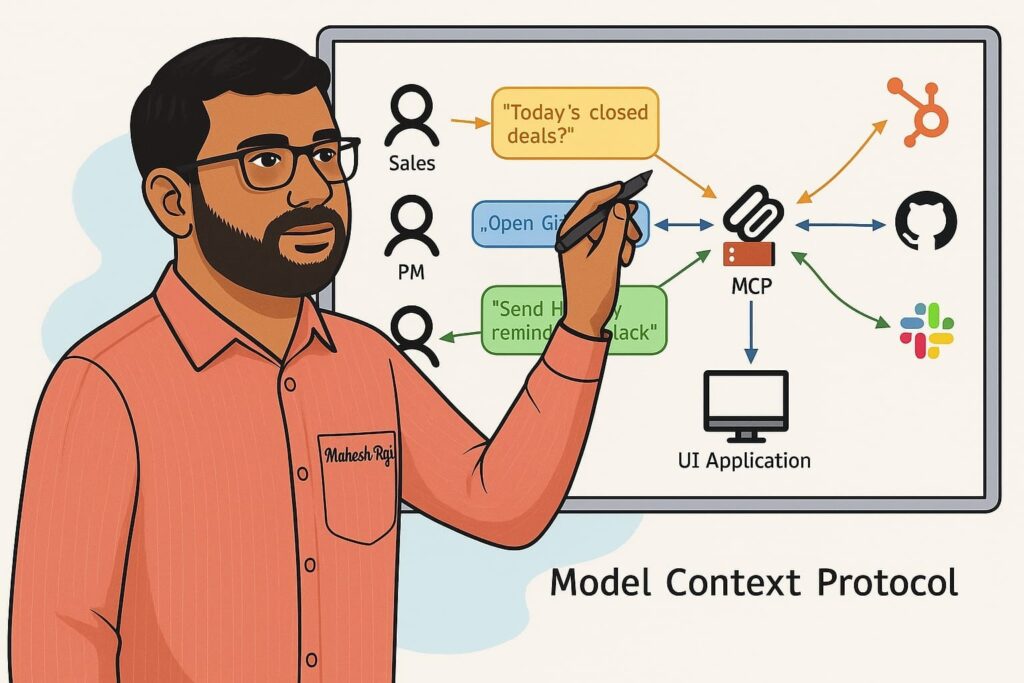
Here’s the layered approach I shared:
1. Traditional API Layer
At the backend, I built multiple Mule services — slot availability search, booking a slot, listing booked slots, and canceling a slot. This generic implementation works perfectly for movie tickets, flights, buses, or any booking use case.
2. MCP Server Layer
This is where the magic happens. Instead of a regular HTTP Listener, I used the new MCP Tool Listener connector. Each listener becomes an MCP server capability, exposing what my system can do.
- Each tool listener requires a description, request schema, and response schema.
- The description is key — it must be written like you’re instructing your personal assistant. Why? Because the LLM (Large Language Model) acts as that assistant, interpreting and executing the request.
The connector then bridges these MCP requests to my backend APIs using simple Mule flows.
3. MCP Client layer.
Simple Mule Application , that takes input from UI over a Http Listener, and in the flow
Step 1 : a cached component using MCP List Tools connector that will fetch details about all capabilities ( tools ) equipped with the MCP server.
Step 2: Create a System prompt using user input, and call your favorite LLM
Step 3: Process the response of the LLM and and LLM gives you intelligence on which MCP capability will serve the user query.
Step 4: Dynamically frame the payload to call the MCP server Call Tool MCP client connector
Keep step 2 to 4 in a loop so that LLM can add its intelligence and reasoning so that
4. UI Layer
Simple HTML with a text box, and few java scripts to submit user input to MCP client application and display the response.
That’s it. every thing else will be taken care by LLM and the MCP eco system.
Here is what I like the most.
If i ask book flight, it will ask which date, once I input the date, it will list all the flights and ask me to select one, once I select the flight it will ask passenger name and then books the ticket.
Miracle is that I can just ask, Book flight for Mahesh Raja for next day first flight. LLM will help our code which act like an agent, i.e. it will first identify what is today and then decide what date it is called next day, search for flights for that date, identify the first flight in the list, and book a flight for Mahesh Raja and responds with the booking confirmation number.
Great…I don’t need to write separate separate UI screens which we used to do in traditional computing, if voice is enabled, user can just speak up while doing any other task.
If I add a new capability at server side, no new coding required at client side.
Definitely huge savings to businesses. IT firms may lose some work but still they see opportunities to build the AI eco system.
Why This Matters
This architecture is more than a demo. It demonstrates how AI + Integration platforms like MuleSoft can enable practical, business-ready use cases with MCP.
And the real win? Reusability. With MCP, the same design pattern can be extended across industries — from ticketing to banking, logistics, retail, and beyond.
Stay connected
In my next post, I will share the implementation steps